Personal atlas · iPhone
Not what you saved. Where you went.
Collect the café, the bakery, the coast road on one map. Recording takes three taps; remembering takes as long as you like.
Coming soon to the App Store
Mapento isn't out yet. The link will be here once the app is on the App Store.
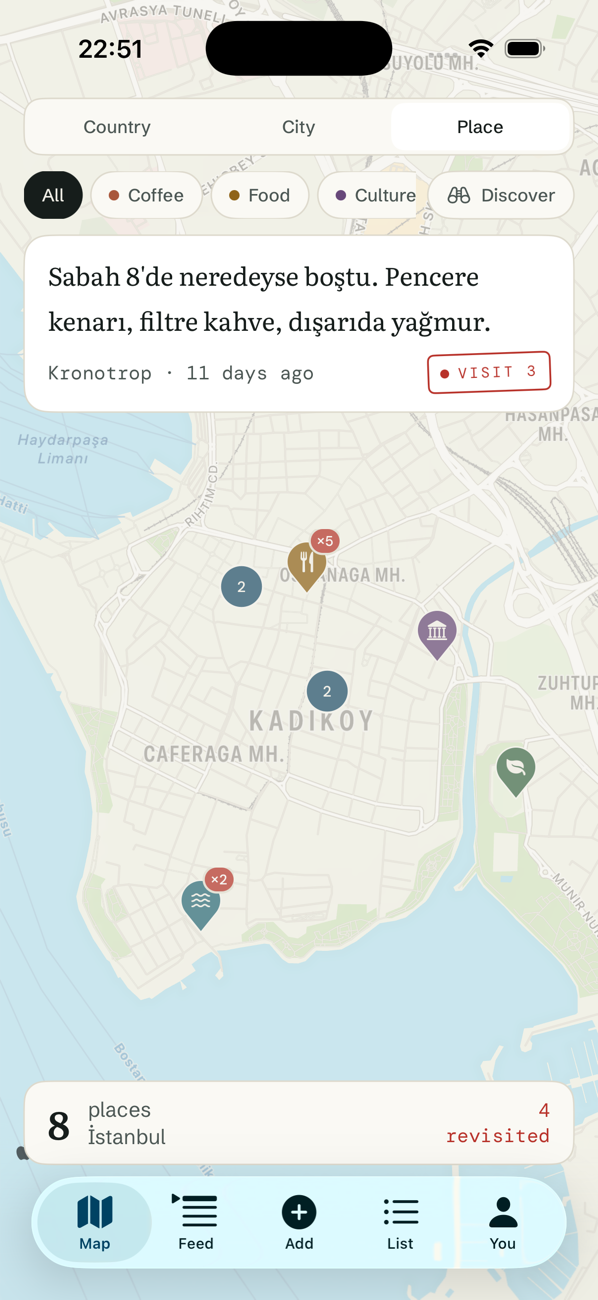
Revisits
Going back a third time means something.
Most apps keep a place as a single row, so the second time you go there is nowhere to write. Mapento keeps a place as a chain of visits: each arrival has its own date and its own note.
That's where “you went back to 31% of your places” comes from at the end of the year. The red stamp says one thing only: you came back here.
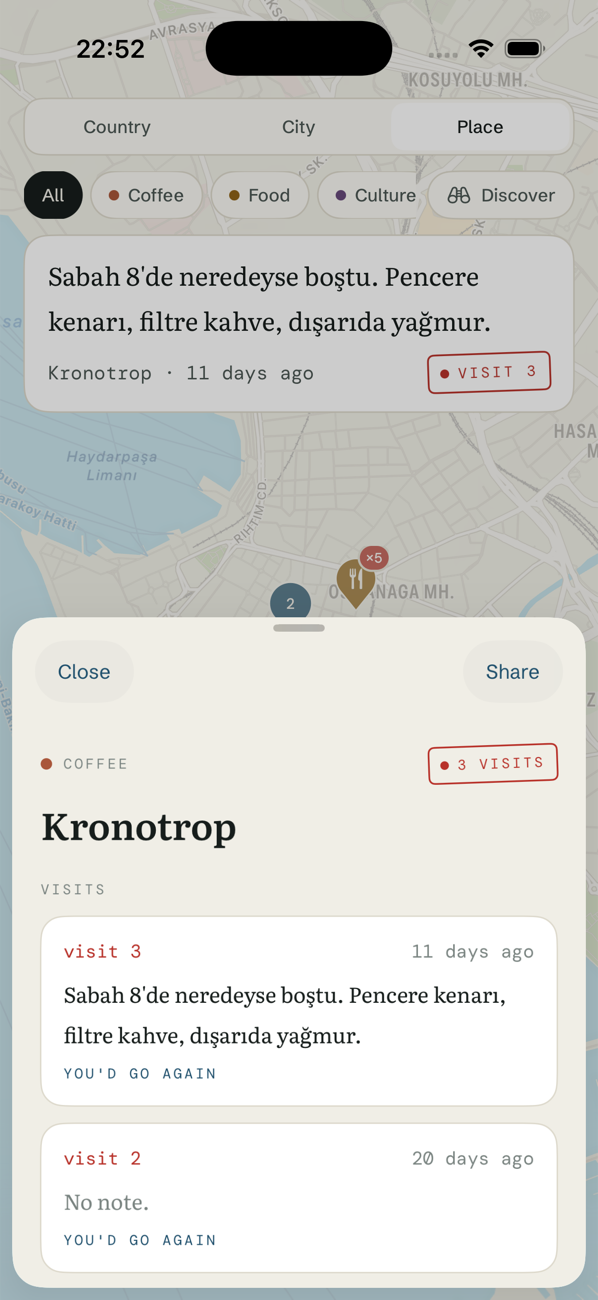
Three levels
One map, three resolutions.
Zoomed out you see countries, closer you see city clusters, closer still you see individual places. Same data — it just answers whichever question you're asking.
- Coffee
- Food
- Culture
- Nature
- Coast
- Night
Six categories. The number is fixed so the map never turns into a tag cloud.
First launch
You don't start with an empty map.
The location data in your photo library is clustered on your device and turned into places you've been. The scan happens on the device; photos aren't copied and nothing is uploaded.
You see what was found and you decide what gets added. The app never adds anything on its own.
Notes
Your writing doesn't look like interface text.
What the app says is set in one typeface; what you write is set in another. Your note isn't truncated away in a list — the detail shows it whole.
Nearly empty at 8am. Window seat, filter coffee, rain outside.
Kronotrop · visit 3
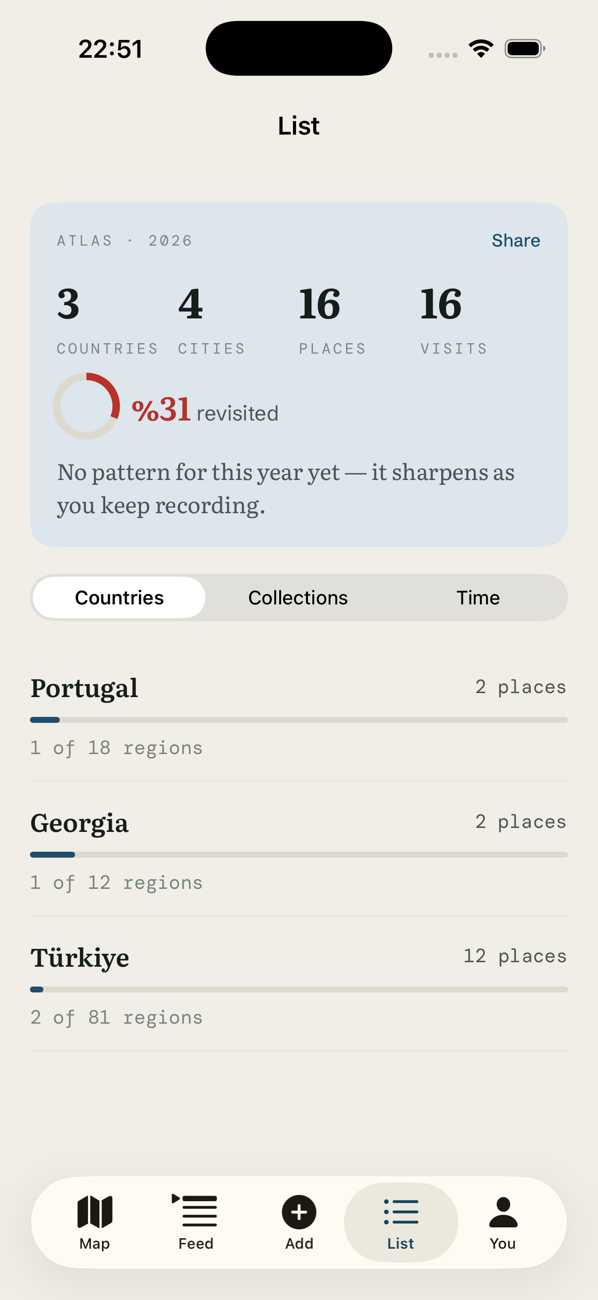
Atlas
Your year on one screen.
How many countries, cities, places and visits — and how many you went back to. Three separate lists: by country, by collection, by time.
If you want to share it, the Atlas card renders at 9:16. One line of branding in the corner, no big logo.
Privacy
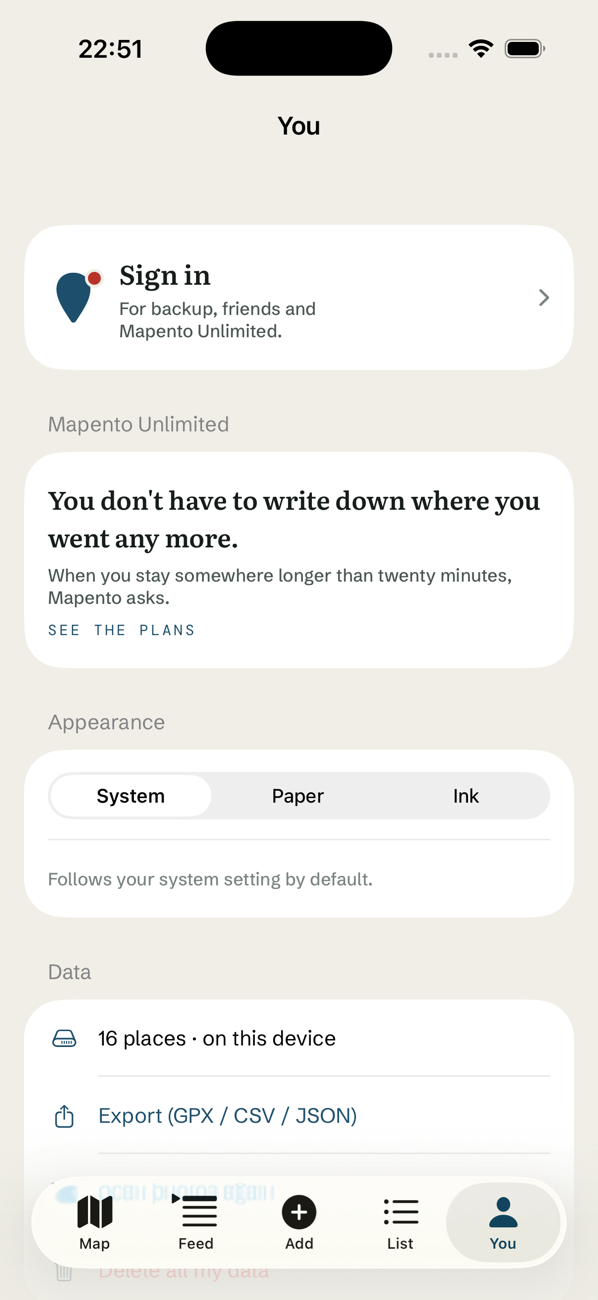
Anything you don't share stays on your device.
Your map, your notes and your photo references live on your phone. If you want to add friends, an account is created and only a copy of the records you chose to share goes to the server.
- Sharing is off by default and turned on per record.
- Notes and photos are never shared automatically.
- A shared record's coordinate is rounded to a grid of roughly 250 metres.
- Photos are never uploaded — only the local identifier of the photo is stored.
- No ad network, no analytics SDK, no third-party trackers.
- Delete your account and your data leaves the server within 24 hours.
Friends
There's a feed, but it isn't the home screen.
The app opens on the map. Places your friends shared sit in their own tab; you can like one or pin it to your own map.
There's no global leaderboard. Ranking stays inside your circle of friends.
Your map is waiting.
For iPhone. It works without an account — create one later if you want friends.
Coming soon to the App Store
Mapento isn't out yet. The link will be here once the app is on the App Store.